


How to Choose the Best Desktop CNC Machine?

Choosing the right desktop cnc machine is no longer a hobbyist decision alone. Small workshops, schools, laboratories, and product startups now use compact CNC systems for prototypes, fixtures, signs, and short production runs. The machine must fit the work, not merely the budget.

Industry reports support this shift. Grand View Research’s CNC machine market analysis identifies automation, digital manufacturing, and flexible production as major growth drivers. AMT’s U.S. Manufacturing Technology Orders reports also track continued investment in computer-controlled equipment across American manufacturing. However, these reports usually combine industrial and desktop systems. Their market figures should not be treated as direct proof of desktop demand. That distinction matters.

Look closely at spindle power, working area, repeatability, control software, and material compatibility. A 3018-style machine may cut plastics and softwood neatly, yet struggle with aluminum sheets. A larger router may offer more capacity but require stronger dust collection, a rigid table, and additional floor space. Check the manufacturer’s cutting examples. Then inspect independent tests, warranty terms, replacement parts, and software support.

Numbers can mislead.

A promising specification may hide weak rigidity or poor calibration. My practical recommendation is simple: define your smallest acceptable tolerance, largest workpiece, and weekly workload before comparing models. Review safety certifications and local electrical requirements. Consider operator training too. The best desktop cnc machine is not always the fastest or cheapest option; it is the system that delivers reliable results without creating avoidable maintenance, safety, or workflow problems.
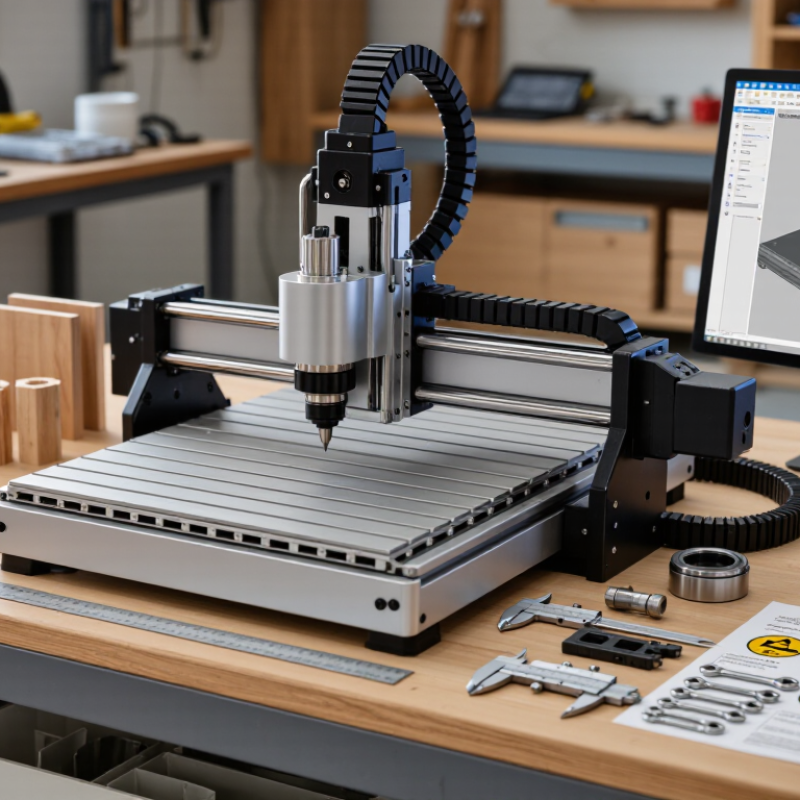
How to Choose the Best Desktop CNC Machine?

Understanding Desktop CNC Machine Types and Their Core Functions

How to Choose the Best Desktop CNC Machine?

Understanding Desktop CNC Machine Types and Their Core Functions

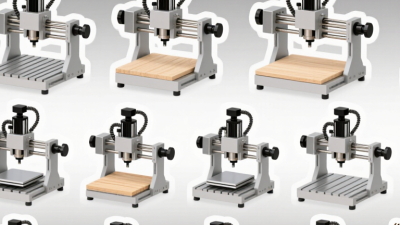
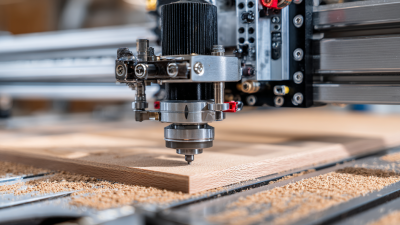
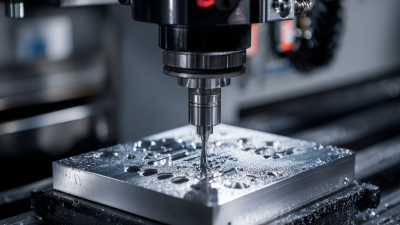
A desktop CNC router uses a rotating bit to cut wood, plastics, foam, and some soft metals. Its larger work area suits signs, panels, and furniture parts. A desktop CNC mill offers stronger rigidity and better control for aluminum, brass, and detailed mechanical components. It removes material more slowly, but its accuracy is usually more dependable.

A CNC lathe spins the workpiece while a cutting tool shapes its outside diameter. It is useful for shafts, bushings, knobs, and other round parts. Some desktop machines combine milling and turning functions. These hybrid systems save space, but shared hardware can limit performance. A laser cutter works differently. It burns or vaporizes material rather than using a cutting tool, making it suitable for thin wood, paper, acrylic, and engraving.

In practice, match the machine to your material, part size, tolerance, and available space. Check spindle power, travel distance, frame rigidity, software compatibility, dust control, and emergency stopping features.

I once focused too heavily on advertised speed and underestimated setup time. That was a costly lesson. A slower machine with stable motion may produce better parts.

Measure your workspace carefully. Leave room for cables, ventilation, workholding, and maintenance. Also consider your skill level. A powerful machine is not automatically the best choice. Its core function must fit the work you can realistically perform.

Matching Machine Specifications to Your Materials and Projects

How to Choose the Best Desktop CNC Machine?

Matching Machine Specifications to Your Materials and Projects

A desktop CNC machine should match your material before your budget. Wood, plastic, aluminum, and composite sheets demand different cutting behavior. Check the machine’s work envelope against your largest planned part. A small frame may limit useful projects quickly. Measure twice.

For hardwood, prioritize rigidity, steady torque, and reliable dust collection. Aluminum needs low vibration, controlled feed rates, and suitable cutting fluid management. Check spindle speed and collet sizes before buying. High speed alone does not guarantee clean edges. Your cutter diameter, flute count, and material hardness must work together.

I once underestimated workholding and ruined a detailed panel through minor movement. That mistake changed my selection process. Look for a rigid spoilboard, accessible clamps, and repeatable zeroing. Closed-loop position feedback can improve reliability, but it does not replace careful setup. Review the machine’s supported software, file formats, maintenance needs, and emergency controls. Test cuts reveal more than impressive specifications. Use a sample piece from your actual material whenever possible. If your projects involve long parts, inspect the table design and gantry clearance carefully. My own choice was slightly oversized, yet the extra workspace reduced awkward repositioning. It also consumed more bench space than expected.

Evaluating Work Area, Accuracy, Speed, and Software Compatibility

Choosing the best desktop CNC machine starts with the work area, not the advertised motor power. Measure your largest planned project, then leave extra room for clamps and tool movement. A 300-by-180-millimeter bed may suit small signs, circuit boards, and brackets, but it will frustrate furniture prototypes. Accuracy also needs context. A stated tolerance means little if the frame flexes or the material shifts. In practical testing, cut a square, measure both diagonals, and repeat the test after several hours. Small errors become visible when holes must align. I once underestimated dust and vibration; my first measurements looked excellent, yet later cuts drifted. That experience taught me to check repeatability, not only the finest specification.

Speed should match the material and tool, rather than simply reaching the highest feed rate. Wood may tolerate faster passes, while aluminum usually rewards slower cuts and careful chip removal. Use a machine with adjustable spindle speed, stable motion, and clear emergency controls. Software compatibility is equally practical. Confirm that design files, toolpaths, post-processors, and machine controls work together. A familiar interface reduces setup mistakes, especially when recreating a job weeks later. Look for documented updates, readable manuals, and active technical support from the manufacturer or seller. Do not assume every computer or operating system will connect smoothly. Test a small, inexpensive project before committing valuable material. I still prefer a slower machine with predictable results over a faster one that demands constant correction.

Comparing Safety Features, Maintenance Needs, and Operating Costs

How to Choose the Best Desktop CNC Machine?

Safety should lead the comparison, not the lowest purchase price. OSHA’s FY2024 data recorded 1,370 machine-guarding violations. A fully enclosed work area, interlocked doors, emergency stops, and reliable chip control reduce everyday exposure. Check whether the enclosure contains dust, fragments, and unexpected tool movement. ISO 12100 also recommends risk assessment across design, operation, cleaning, and maintenance. A small machine still creates serious hazards.

Maintenance affects both reliability and operating costs. Review spindle service intervals, lubrication points, filter access, and software support before buying. The U.S. Department of Energy reports that compressed-air leaks can waste 20–30% of compressor output, although many desktop machines use little compressed air. Electricity is only part of the bill. Include cutters, coolant, dust extraction, replacement bearings, training time, and unplanned downtime. Deloitte’s predictive-maintenance analysis found that better monitoring can reduce maintenance costs by 10–20%. Those figures come from industrial settings, so applying them directly to a workshop would be careless.

Tips: Request a three-year ownership estimate. Record machine power, average daily hours, consumable prices, and service frequency. Test the emergency stop and door interlock during a supervised demonstration. Listen for spindle vibration. It often reveals trouble early. Choose accessible parts, even if the machine costs slightly more. I still find maintenance estimates imperfect because operator habits change quickly. That uncertainty deserves space in the budget.

How to Choose the Best Desktop CNC Machine?

This comparison uses representative desktop CNC machine classes rather than brand-specific models. Safety is scored out of five common safeguards: physical guarding, emergency stop, door or access interlock, travel-limit protection, and dust or chip-control compatibility. Maintenance and energy figures are typical planning estimates for 100 operating hours.

Key takeaway: Enclosed desktop mills generally provide stronger physical protection but require more routine maintenance. Router-style machines can have lower energy costs, while enclosed mills may offer better containment of chips and cutting fluids.

Selecting the Best Desktop CNC Machine for Your Workshop Goals

Choosing the best desktop CNC machine starts with your workshop goals, not attractive specifications. Decide what you will cut, how often, and at what size. A small router may suit engraved panels, signs, and thin plastic sheets. Harder materials need a rigid frame, steady motion, and adequate spindle power.

Measure your workspace carefully. Leave room for cables, dust collection, and safe material loading. I also check the machine’s working area against my largest planned project. A few extra centimeters can prevent frustrating redesigns. Look for compatible design software and clear control systems. Reliable support matters when an error appears during setup. It often does.

My own mistake was choosing a compact machine without checking its noise level. It fit the bench, but conversation became difficult during operation. Now I inspect enclosure quality, ventilation, maintenance access, and replacement parts before purchase. I also prefer machines with adjustable cutting speeds and firm workholding options. Loose stock can ruin accurate work quickly.

Run a practical test before committing, if possible. Cut a square, drill repeated holes, and inspect the edges. Check whether dimensions remain consistent across the work area. Ask how calibration works and whether instructions explain common failures. A machine that saves money initially may cost more through wasted material and slow troubleshooting. Your workshop may also change, so leave some capacity for future projects.

Kontaktbox-Frau

  • CNC-STEP – Quick contact